Playwriting Software
Free forever and made for plays and theater makers.
Now on Windows as well as the Mac.
Version 1.0.4 · macOS 14 or later
Windows 11 or Windows 10 22H2
Made for plays, not screenplays.
Most playwriting software was built for the screen and had a stage play bolted on afterward. Proscenium was built for playwrights from the very start.
Dialogue runs the full width. A screenplay squeezes it into a column.
Stage directions in italics, set in from the left.
YOU (suspiciously) Is it really free?
Free, forever.
Yes. No subscription, no trial, no “monetization strategy”, and nothing held back for a paid tier. The code is public and you can build it yourself.
YOU (lowering voice) Will anyone see my play? Will it end up in some AI?
Your play is nobody’s business but yours.
There is no account to open, no cloud to sign into, nothing reading over your shoulder, and no machine offering to finish your sentences. The play lives in a folder on your own computer, as ordinary files you can open with anything, print, or hand to a director.
- Trifles/
- Trifles.fountain
- Characters/
- Mrs Hale.md
- Mrs Peters.md
- Notes/
- Structure.md
- Trifles.proscenium
Everything about the play, in one place.
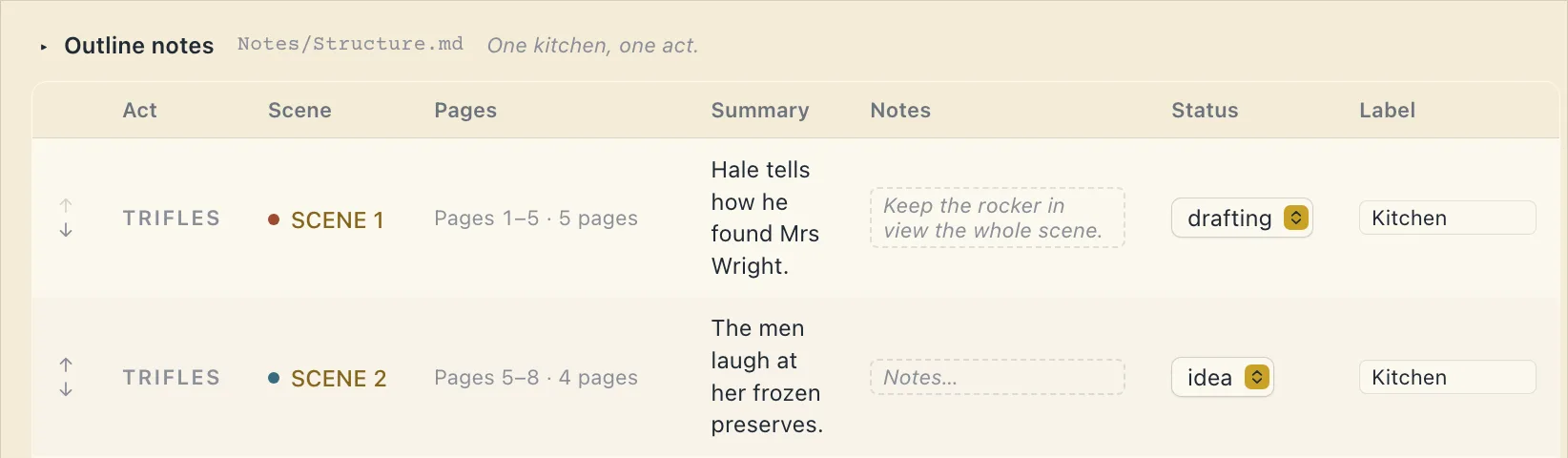
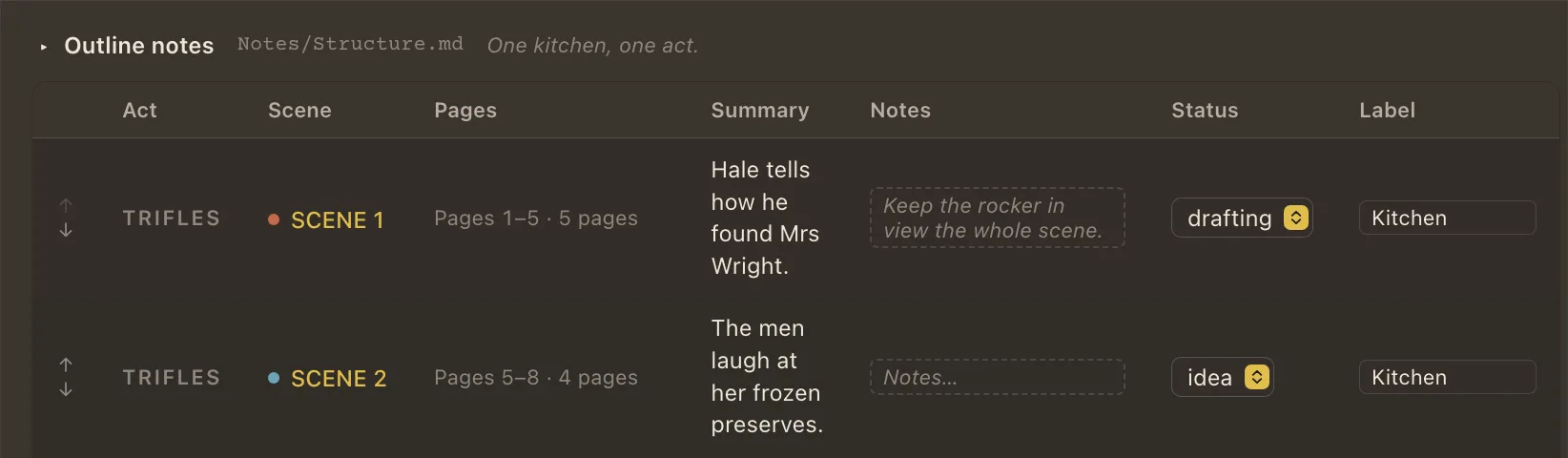
Hold the script and everything around it: the research, the character sheets, the idea you had at breakfast. Scenes are cards on a corkboard; move a card and the play moves with it. There is an outline, a cast list made from whoever actually speaks, and a page count that keeps up as you write.
;on an empty line
- Action a
- Character c
- Dialogue d
- Parenthetical p
- Scene Heading s
- Transition t
- Act 1
- Scene 2
- Lyric l
- Scene Summary (Not Printed) =
- Centered Text >
- Note n
- Page Break -
Every element, one key each.
Enter goes to the line you probably want next - dialogue after a cue, a stage direction after a speech. When the guess is wrong, Tab cycles the line through the everyday elements. And a semicolon on an empty line opens the lot, a letter beside each.
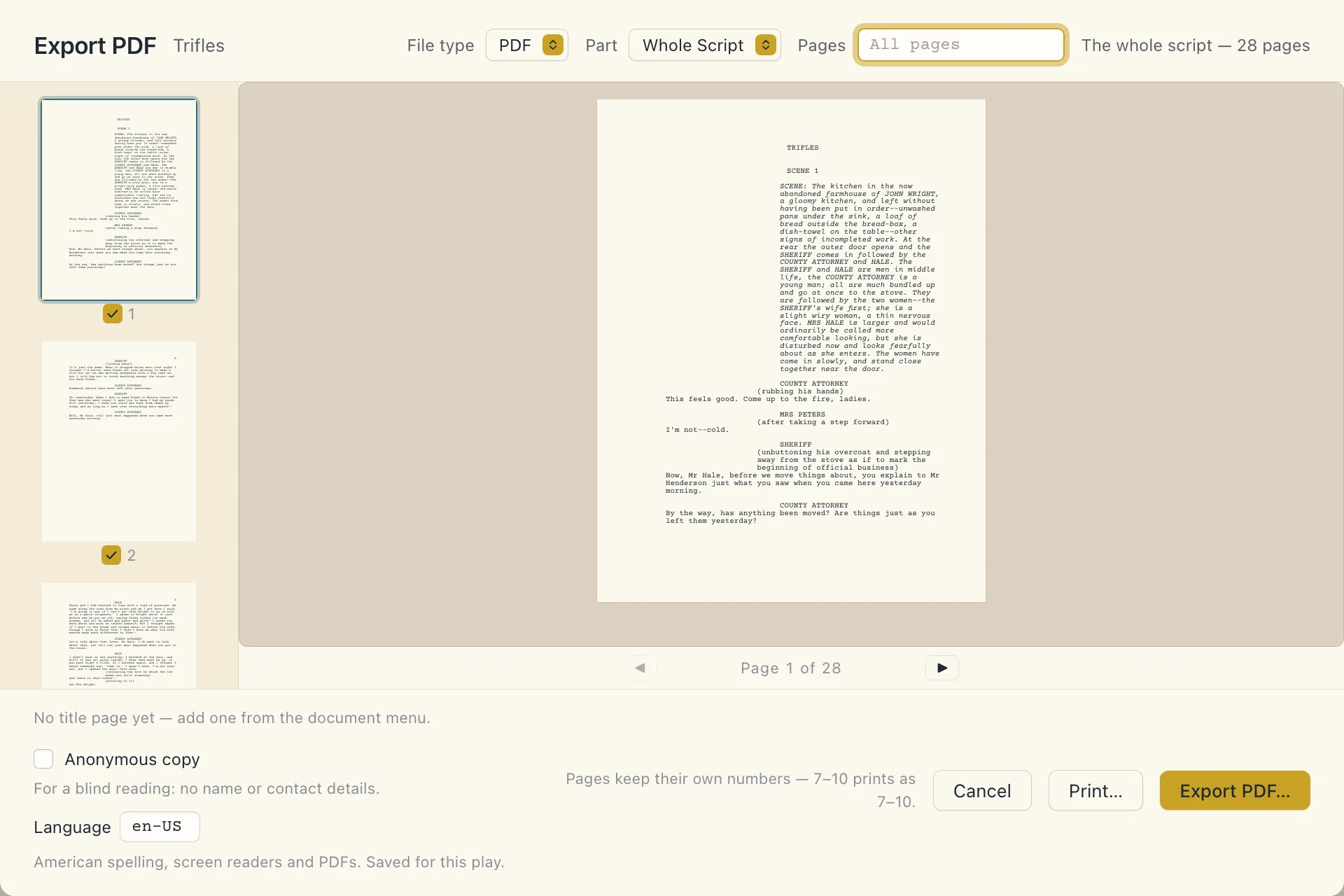
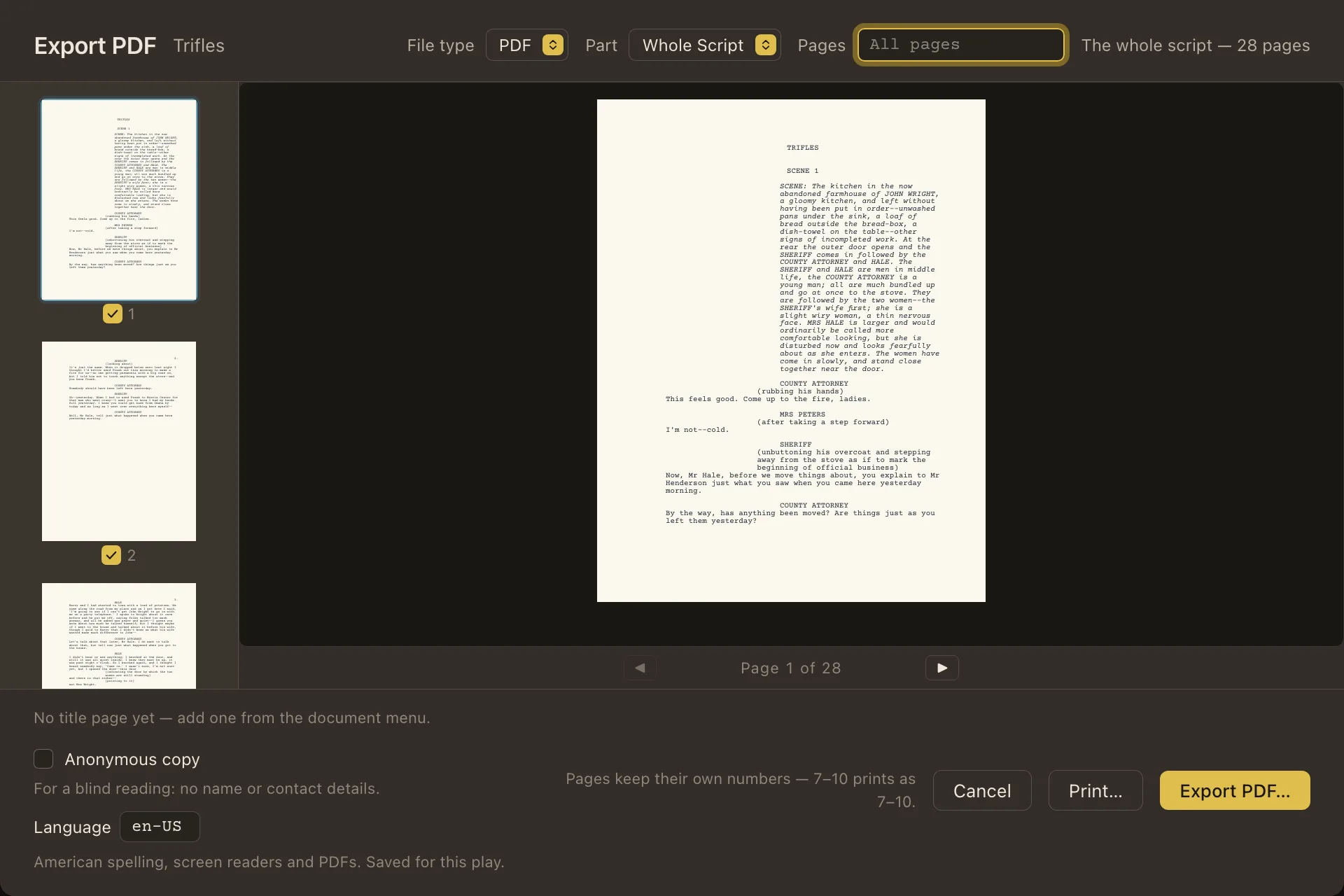
Whatever the theatre asks for, the page obliges.
Export is one window (whether you want the whole play or one actor’s sides) and the PDF comes out. When a theatre or festival sends its own rules - the margins, where the names sit - pick the format that matches and the script reflows.
If you can write a play, you can use it.
There is nothing technical to learn first. Help & Tutorials, in the title bar, has six guided lessons of about three minutes each. They show you where to type, notice when you have done it, and Show Me does a step for you when you would rather watch.
From a playwright
When I started writing plays I quickly got frustrated by all the software options! And the lack of anything specific to playwrights and theater in general. I used to write in screenwriting software, and every submission ended with an hour of fighting the formatting. So instead I built the one I wanted. Other playwrights started asking, and I'm happy to give back to this incredible community. Happy writing.
Alexander
Proscenium for Mac Proscenium for Windows
DownloadDownload for MacAlso for Windows
It installs for you alone, with no administrator, and updates itself.
Windows 11 or Windows 10 22H2. Most PCs are x64; choose Arm64 for one with an Arm chip, such as Snapdragon.
Windows warns the first time you open the installer, because it isn’t signed. Choose More info, then Run anyway.
Questions
Before you switch
I’m on a PC. Does it run on Windows?
Yes. Proscenium runs on Windows 11 or Windows 10 22H2, on x64 and Arm PCs, as well as on a Mac - download it above. A play is the same files on either, so a co-writer on a PC and one on a Mac can share a folder. On a PC the shortcuts use Ctrl, and the Guide shows them that way.
My play is in Final Draft (or in Word, Pages, or my archaic writing system), can Proscenium open it?
Bring it. Proscenium opens Final Draft, Word, Pages, RTF and plain text files. Choose File › Import a Draft, or drop the file on the Plays screen. You see how each line was read before the play is made, and your original file is kept, untouched, in the play’s Originals folder. From Google Docs, download a Word copy first.
Where is my play saved? What if this app disappears?
In the folder you chose the first time you opened it - iCloud Drive on a Mac, or one of your own. Each play is its own folder: the script is a plain text file, the notes are plain text, and the rest is small enough to read. If Proscenium vanished tomorrow you would lose a program, not a line.
Does it meet accessibility standards?
Every build is checked against the WCAG 2.2 AA standard by automated tests, which also press the keys: everything works from the keyboard, and interface text scales to 200% without moving the printed page. It has not been tried with a screen reader such as VoiceOver or Narrator, so it makes no promise there yet - if something gets in your way, please tell us. An exported PDF carries its title, language and reading order.
Can my co-writer and I work on it together?
Yes. Each of you writes on your own computer, and the play travels between you in a shared folder. When your co-writer’s edits arrive, Changes shows exactly what they altered, marked on the page in your play’s format, with a way back. Leave each other comments in the margin - start one with a name, like “Sam: cut this?”, and they’ll know who’s asking.
Is this for screenplays too?
No. It was built for plays and it stays there. Everything: the page, the defaults, and the keys are for the stage.
While you write
Every theatre wants a different format.
Choose it from the title menu and the page reflows. Your words do not change; only the page does. Seven layouts ship, among them the Dramatists Guild’s modern and traditional, Samuel French, and a UK layout with the names on the left. A format is one small file, and Settings has a designer, so the style sheet your festival sent can become one.
The festival wants a blind copy.
Tick Anonymous copy in the export window and the title page goes out without your name or contact details. If your name turns up anywhere else in the script, it tells you where. Your own copy keeps your name.
Where do the title page and character list go?
In Edit Opening Pages, in the title menu: the title page, the characters page and any opening notes. The names and descriptions come from your Cast, and each export lets you choose which of those pages go with it.
They want it as a Word file.
Choose Export .docx… or Export .odt… from the title menu. Each line arrives with a named style - Character, Dialogue and the rest - on your format’s page, with Courier Prime built in. Their word processor sets its own page breaks, so the pages can differ a little from the PDF.
I need sides for a reading tomorrow.
Choose their name under Part in the export window. You get their speeches, each after the few words that cue it, with the scene headings, in the play’s format.
Can I get back something I cut last week?
Yes. Proscenium keeps versions as you write, and Versions, in the title menu, opens Changes on each session you wrote, newest first, with what you changed in it. Restore puts the words back as they were, and the script you had is kept too.
A dramaturg sent notes. Where do they go?
In the binder, beside the script. Drop anything into the play’s folder from anywhere - a PDF from a dramaturg, a note from your phone - and it appears. Your own notes go in the margin as comments, in amber, and never print.